


The short version
As of October 2026, Notion's AI launch is built to move people from asking the AI to giving it work. It comes down to seven moves:
- Agents are on the front door. The homepage says "teams and agents" before you've signed in.
- The AI greets you, then teaches the product. The AI home asks "How can I help you today?", and Notion's own customer success team publishes an onboarding agent.
- Memory is a page you can read. Your agent's instructions live on a normal Notion page you can open and edit.
- The trial is built around AI. The Business trial explains how it ends on the first screen, and every step on its checklist is an AI job.
- Your first agent is pre-built. One click on the checklist creates a working agent from a template. You finish setup after.
- It only touches what you give it. Custom Agents inherit no permissions, ask before risky actions by default, and log every run.
- A free taste, then the wall. Free AI responses, then a plan upgrade, then credits by usage, with a meter on every agent.
At a glance
| Notion | Customer.io | Shopify | |
|---|---|---|---|
| Where the AI lives | Everywhere: the AI home, any page, and Custom Agents in the sidebar | In place of the home dashboard | Next to the setup checklist |
| How it starts | A pre-built agent from the trial checklist | Suggestion cards that write the prompt | A prompt box with a suggested first ask |
| When it works | On a schedule or trigger, without you | When you ask | When you ask |
| Trust model | Access granted per agent, approvals on by default, every run logged | Drafts only until an admin allows live edits | Asks before every action |
| Pricing | Free responses, then Business, then credits by usage | Included in paid plans, extra AI credits $10 per 100K | Included in plans |
What changed since 2025
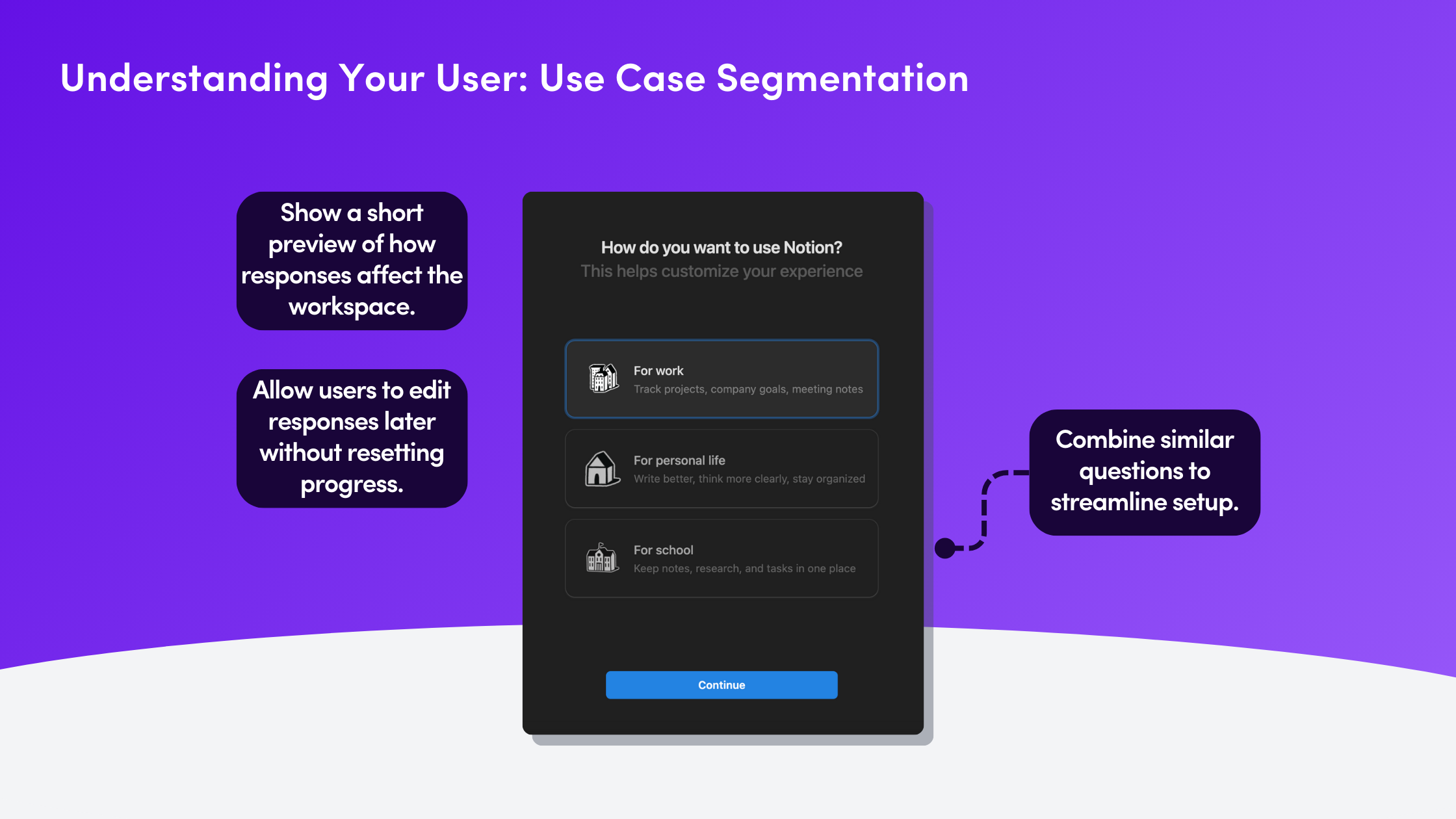
When we first wrote about Notion, onboarding was six careful steps: a profile, a check for your team's existing workspace, a use-case question, a UI preview that changed as you answered, a workspace name and a guided tour. It was one of the best survey-led onboardings around.
In 2026 the survey is no longer the main event. The AI is.
1. Agents are on the front door


The notion.com hero now reads "Where teams and agents ship together." The agents page goes further: "Your 24/7 AI team. You assign the tasks. Your Agents do the work."
Further down that page is the line a careful buyer looks for: "Every agent run is logged with full audit trails showing what triggered it, what it did, and why."
Why it works:
- People arrive expecting agents. By the time someone opens the app, "agent" is already a word Notion has taught them.
- The trust answer comes before the question. The logging line sits on the marketing page, not buried in the docs.
2. The AI greets you, then teaches the product


Open Notion AI and you get a home of its own: "How can I help you today?" Under the box are a "Review for me" suggestion, four starter chips (Create Slides, Spreadsheets, Research, Visualize) and a row of app icons: "Get better answers from your apps." The connectors are offered before you've asked a thing.
Then there's the clever part. In the agent marketplace, Notion's own customer success team ("Notion CS") publishes an Onboarding agent: "Your Notion onboarding buddy - get fast, step-by-step help from first setup to advanced workflows." You mention it on a page and it replies with a numbered action plan, a best-practice tip and links to Notion's Help Center and Academy. It also coaches people on Notion AI and Custom Agents.
Notion uses an agent to teach people about agents.
Why it works:
- The AI is the first thing you meet, not an upsell that shows up later.
- The vendor dogfoods it. If Notion's own CS team trusts an agent with onboarding, that's the best demo they could ship.
3. Memory is a page you can read

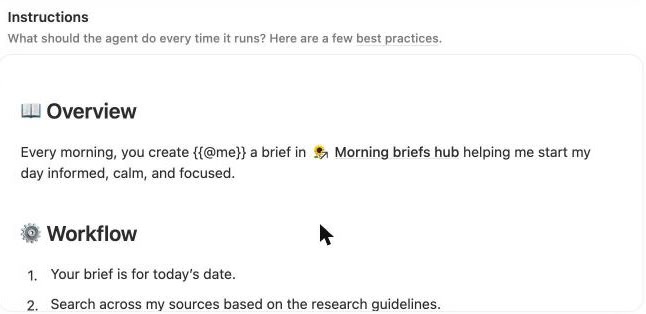
Notion 3.0 (September 2025) put it plainly: "Give your Agent an instructions page so it feels like a teammate who knows your work and style." The instructions are a normal Notion page. You can read them, edit them and share them like anything else in your workspace.
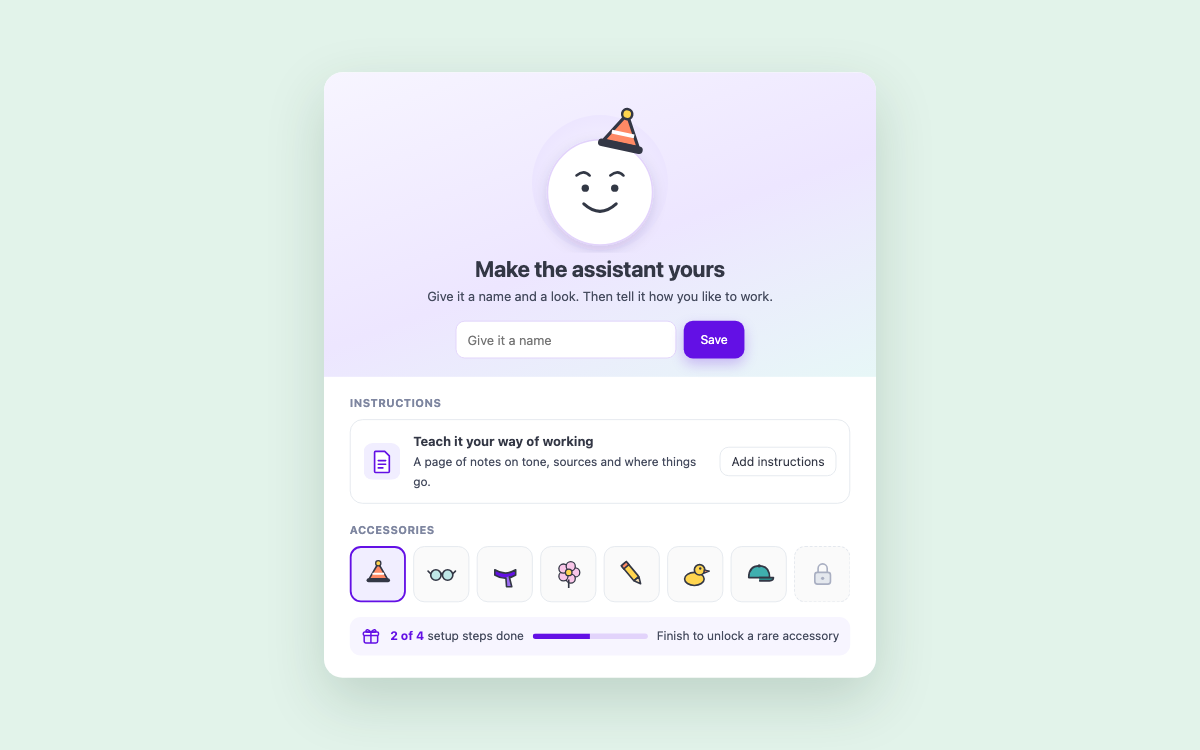
The setup panel makes this feel personal. "Personalize your Notion AI" lets you give it a name and dress up its face: a hat, a mustache, a duck (one option is locked). Under that, "Instructions": "Use a page to give Notion AI instructions and guide its behavior," with an "Add instructions" button.
Custom Agents work the same way. Our first agent opened with its instructions already written as a page: Overview, Workflow, Actions, Research guidelines and Brief writing instructions, plus a linked "Morning briefs hub." A "Help me update instructions" button floats on the right, so even editing the memory is something the AI will help with.
Why it works:
- People trust what they can read. No hidden system prompt. The memory is in the product's own format.
- A name and a face make it yours before it has done any work. (And the locked accessory comes back in move 4.)
4. The trial is built around AI


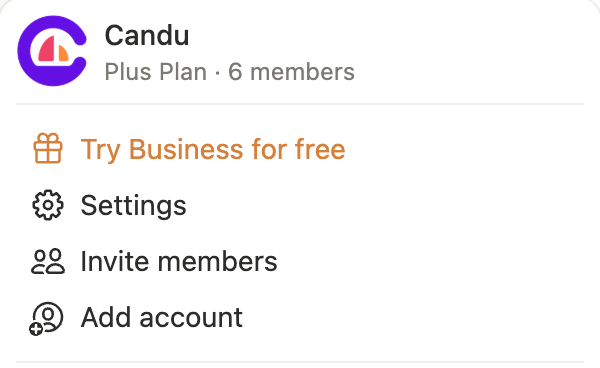
On our Plus plan, the workspace menu shows "Try Business for free" in orange. Click it and the offer explains its own ending before you start:
- Today: "Full access to all Business features, including Notion AI"
- Day 10: "We'll remind you of your trial ending"
- Day 14: "Your subscription will automatically upgrade to Business"
"Start free trial" stays disabled until you tick a box: "At the end of your trial, Notion Business will auto-renew each month at $24/seat plus taxes unless canceled." The right side of the offer is all AI: answers from Slack and GitHub, AI Meeting Notes, "Eliminate manual work with Notion AI."
A second sidebar card, "New to Notion AI? Learn the basics and test a few prompts while you're in trial. Get the guide," sits under it.

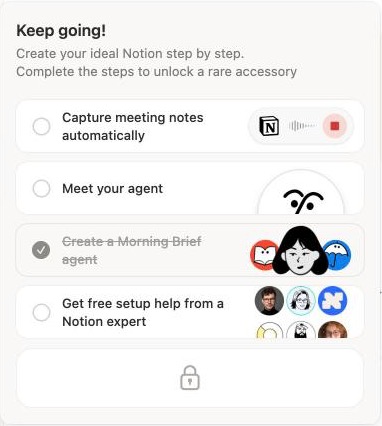
After "Getting your workspace ready…", a small card appears in the sidebar with a progress bar, the AI's face wearing a duck and a gift icon. Open it and you get "Welcome to your trial. Create your ideal Notion step by step. Complete the steps to unlock a rare accessory." The four steps:
- Capture meeting notes automatically
- Meet your agent
- Create a Morning Brief agent
- Get free setup help from a Notion expert
Below them is a locked reward tile. Finish one step and the header changes to "Keep going!" with that step struck through.
Why it works:
- The trial tells you how it ends. A timeline plus a consent box is more honest than a surprise charge.
- Every step is an AI job. Three of the four steps are AI features, and the fourth is a human expert. The trial isn't a tour of Business. It's a tour of the AI.
- The reward is for the AI itself. You unlock an accessory for your assistant's face, which ties straight back to "Personalize your Notion AI."
What to watch: the auto-renew is per seat, for the whole workspace. That's a lot to remember for a whole team on a 14-day clock.
5. Your first agent is pre-built


We clicked "Create a Morning Brief agent." That was it. There was no chat, no form and no save step. Notion created a private agent called Morning brief, with an apple for a face and a one-line job: "Pulls updates from across your tools to give you a clear plan for the day: what's new, what's next, and what needs your attention." The page said "No chats yet."
Open its settings and the first thing you see is a mini checklist, "Finish Setup": connect Slack, connect Mail. Then Triggers ("When should this agent run?"): a "Run agent" button, new chats, "When agent is mentioned" and "Weekdays at 12:00 AM." The schedule is filled in but switched off. Nothing runs until you say so.
That's the first route. "New agent" opens the other two.


Ready-made agents sit in tabs by team, with a box at the bottom: "Or, just describe what you want your agent to do." We asked for a Friday recap of the pages our team edited. About 40 seconds later Notion AI had drafted "Weekly Team Recap" for Fridays at 3 p.m., then asked two questions instead of guessing: what to cover and where to save it. The draft says "Agent won't run until you save," and its instructions include a "Setup guardrail" the AI wrote for itself: "do not infer a team, search unrelated areas, create a recap, or choose a destination. Report the missing setup in chat instead."
Once it's set up, an agent can run on a schedule, on Notion events, on Slack messages or on calendar changes. Since Notion 3.7 (September 2026), it can also call other agents as sub-agents.
Why it works:
- The hardest part of an agent is the setup, so Notion does it for you and makes the human the reviewer.
- The AI asks instead of guessing, and writes that rule into the agent's own instructions.
- A working agent beats a blank one. You see what good looks like before you're asked to build your own.
- Off by default. The schedule is there, ready to switch on, so nobody gets an agent running at midnight by surprise.
6. It only touches what you give it


Notion's help center is clear: "There are no inherited permissions from anyone (whether the creator or the user of the agent)." An agent answers with its own access, not the access of whoever triggered it.
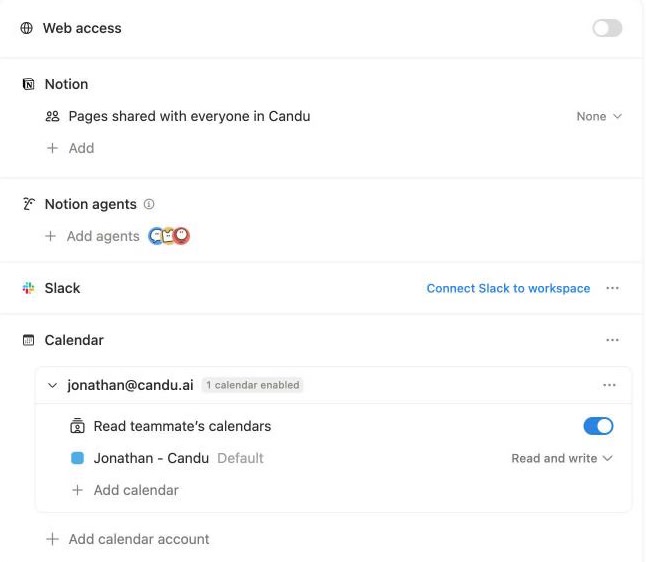
Our Morning brief agent's "Tools and access" shows what that means. Web access is off. Notion pages are set to "None." Slack and Mail aren't connected. Each one has to be granted.
Calendar is the one worth a closer look. Because the trial checklist connected our calendar, the agent started with "Read teammate's calendars" on and our default calendar set to "Read and write." Open that setting and the safety net is already on: "Require confirmation," on by default. The line under it says what turning it off means: "When turned off, agent can modify events and send invites without approval."
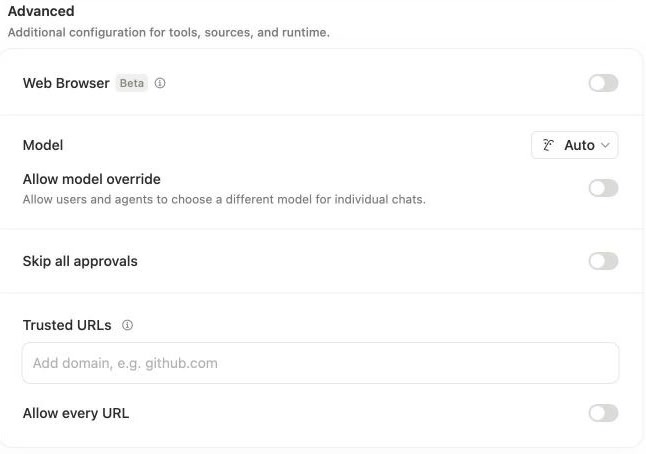
Under Advanced there's one more line of defense: "Skip all approvals," off by default. So is "Allow every URL," and the Web Browser (Beta).
Around the agent:
- Sharing has three levels (Full access, Can edit, Can view and interact), and a new agent starts as "Only people invited."
- Every run is logged. We ran Morning brief once by hand. Insights logged it as one successful run for 2.09 credits, with every step listed. One step shows the scoped-access model in its own words: "I couldn't create the brief in Morning briefs hub because this agent lacks permission to create pages in the database." It reported the gap instead of writing somewhere else. Version history can restore any saved setup.
- Admins see every agent in one table (Settings > Notion AI > Agents) with status and connections, can pause or disable any of them, and control who can create agents. Enterprise adds the audit log (agent runs, what changed and who triggered it, since July 2026).


Why it works:
- A missing permission is a clear message, not a silent failure. The run counts as successful, and the agent says exactly what it couldn't do and why.
- The trust model for an AI that works alone is scoped access, approvals and a log. Compare Customer.io (fenced to drafts) and Shopify (asks before every action).
- The risky switch is named honestly. "Skip all approvals" says exactly what it does.
What to watch: a pre-built agent arriving with calendar write access leans toward convenience. Notion balances it with confirmation on by default. If you grant write access by default in your product, ship the confirmation step with it.
7. A free taste, then the wall

On the Plus plan, Notion AI is a free taste. Once that runs out, a card stays in the sidebar: "Notion AI. You're out of free responses. Upgrade now →"
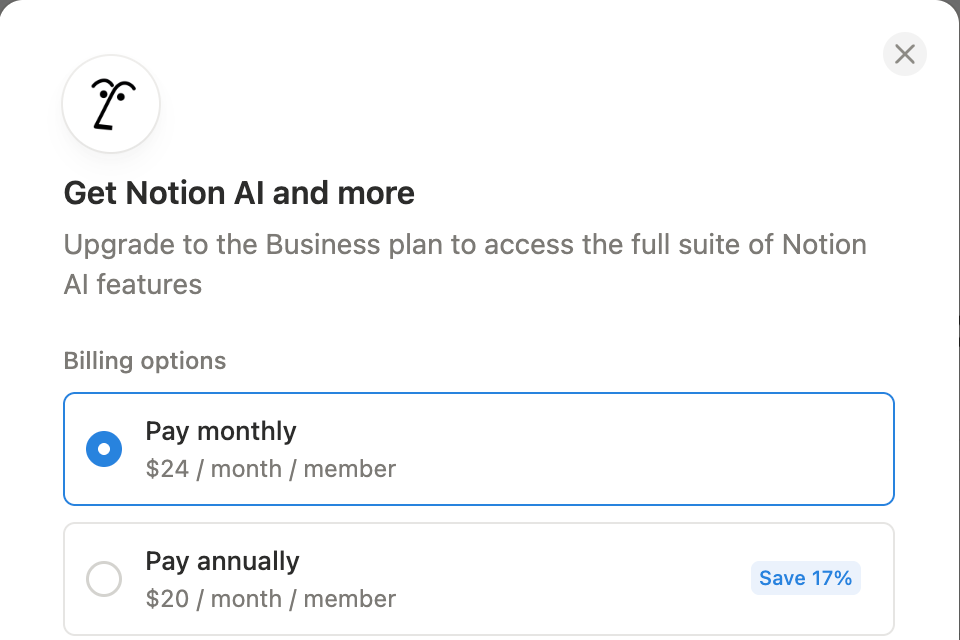
"Upgrade now" opens the offer: "Get Notion AI and more. Upgrade to the Business plan to access the full suite of Notion AI features," at $24 a member monthly or $20 billed annually ("Save 17%"), with the saved card and a one-click "Upgrade now." The paywall is the checkout. Notion's pricing page lists no separate AI add-on for Plus, so the upgrade is for the whole workspace.
Custom Agents add a second meter. They were free to try through May 3 2026, then moved to Notion credits ($10 per 1,000 a month, per Notion's pricing page). In April 2026 (Notion 3.4), runs got 35 to 50% cheaper.
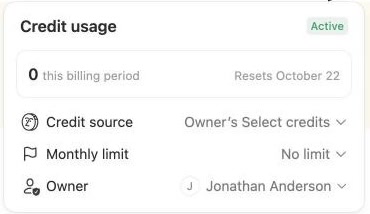
Each agent has its own credit panel. Ours read: "Credit usage: Active. 0 this billing period. Resets October 22. Credit source: Owner's Select credits. Monthly limit: No limit." The limit is one click away: 500, 400, 300 or 200 credits, or a custom amount.
At the workspace level, admins get a Usage tab with separate Standard and Select meters. "Usage beyond your plan's included credits" is Disabled by default, and Notion recommends a monthly default limit per member "to keep spend intentional."
Why it works:
- Habit first, meter second. Months of free agents let people find the jobs worth paying for. Then the price dropped once usage was real.
- The meter is on the agent, not hidden in billing, so you can see what each one costs.
What to watch:
- AI behind a whole-workspace plan change is a big ask for a small team that only wanted AI for one or two people.
- The default monthly limit per agent is "No limit." Overage is off at the workspace level, but inside the plan's credits a scheduled agent can spend until someone sets a cap. If your AI runs on its own, ship the limit with a sensible default.
What to take from it
- Say "agents" before people meet one. Set the expectation on the front door.
- Let the AI onboard people to the product, and use your own agent for your own onboarding.
- Make the AI's memory a page people can read.
- Build the trial around AI jobs, and tell people how it ends on the first screen.
- Start people from a working agent, with its schedule ready but off.
- Grant access per agent, keep approvals on, log every run.
- Free first, then a meter you can see, with a limit set by default.
Build the whole flow
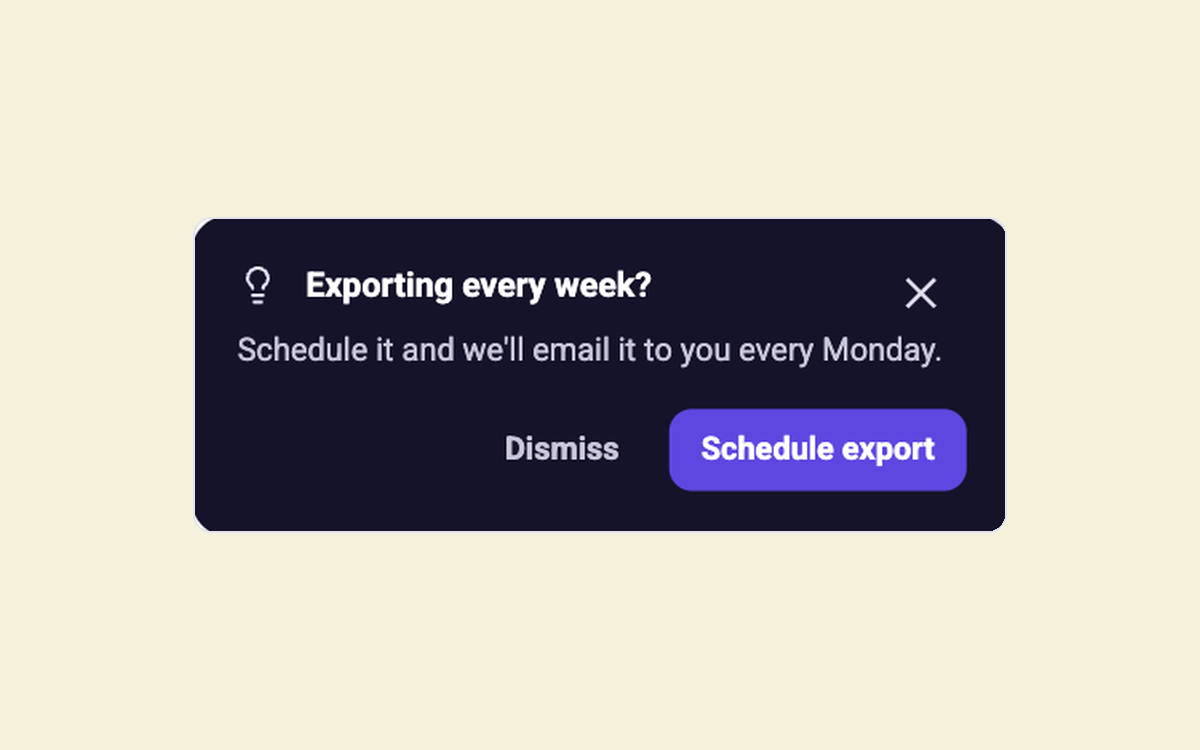
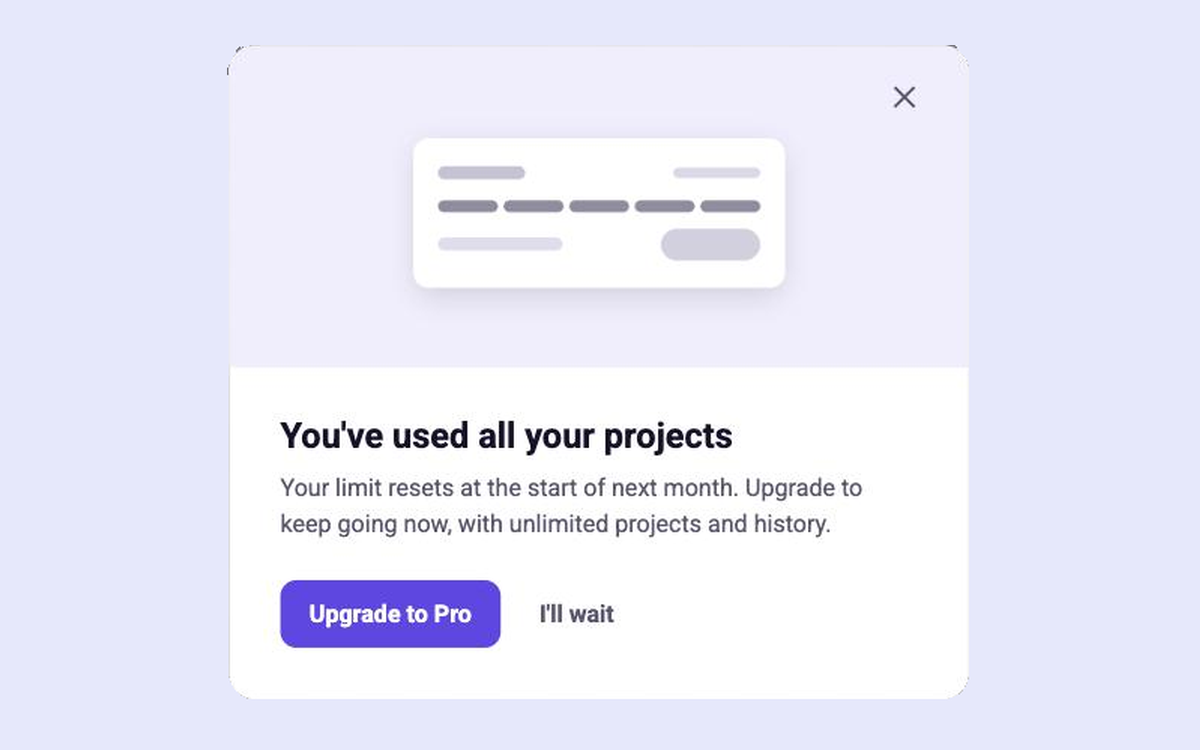
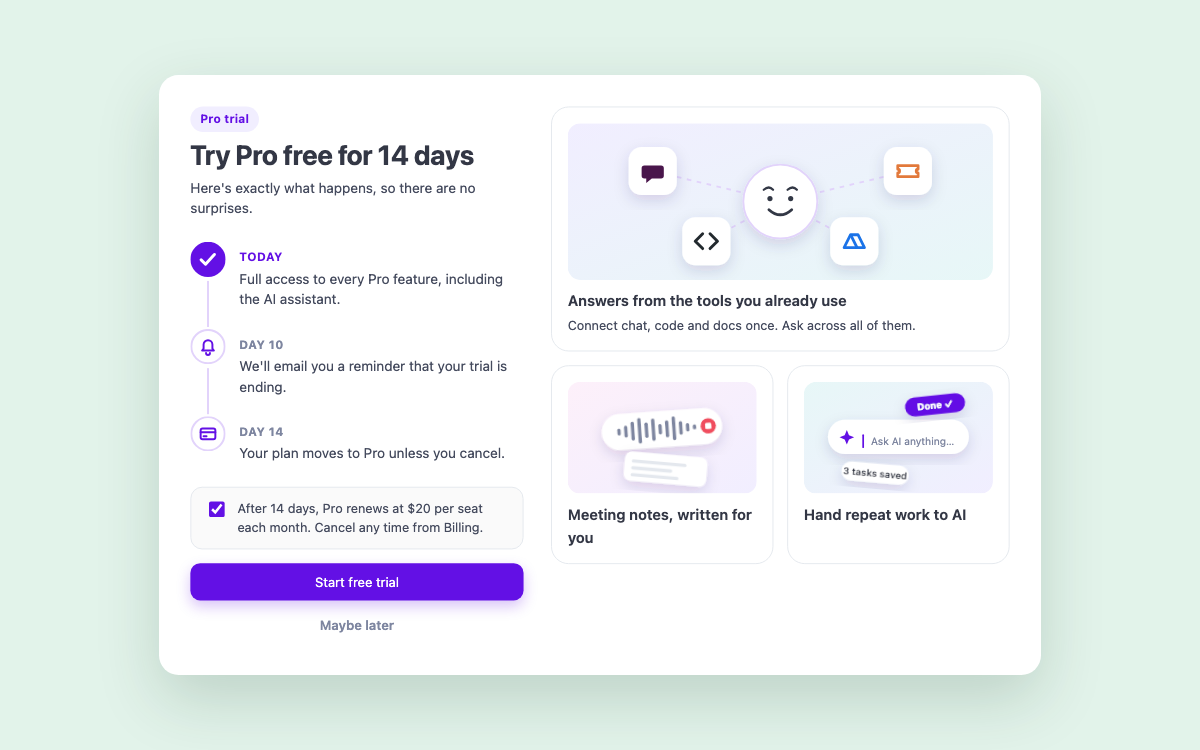
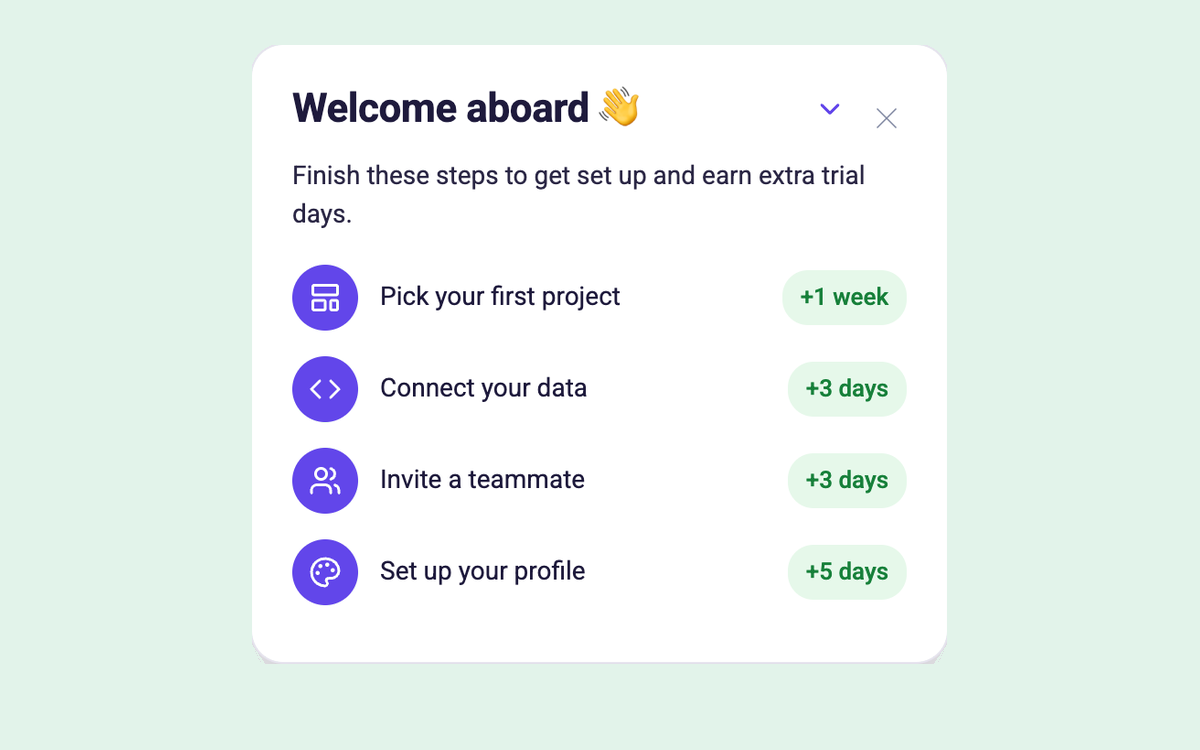
The in-app half, with Candu. Each template is a separate piece you can restyle in your brand.
Have your own design for any of these? Build it from Claude, Figma or a screenshot.
More in this series: Shopify, Customer.io, Airtable, HubSpot, and the hub, How product teams are launching AI inside their apps. See all of Candu's AI features: https://www.candu.ai/capabilities/ai-features
FAQ
What are Notion Custom Agents?
AI agents you set up once that keep working on their own. Each has an instructions page, triggers (a schedule, Notion events, Slack or calendar), and its own access to pages and connected apps. They need a Business or Enterprise plan.
How do Notion Custom Agent permissions work?
Agents inherit no permissions from their creator or the person using them. Each one can only reach what's granted in its Tools and access settings. Calendar changes need a person's confirmation by default, "Skip all approvals" is off by default, and every run is logged.
How much do Notion Custom Agents cost?
They were free to try through May 3 2026. Since May 4 they use Notion credits, which Notion's pricing page lists at $10 per 1,000 a month, on Business and Enterprise. Each agent shows its own usage and can have a monthly limit. From Nov 2, 2026, Notion moves existing workspaces to per-member Standard and Select credits.
How does Notion onboard new users in 2026?
Around AI. The AI home suggests first asks and offers to connect your apps, and the Business trial is a four-step checklist of AI jobs (meeting notes, meeting your agent, a Morning Brief agent, and help from an expert) with a reward for finishing.

Build Notion’s AI launch in your product
Book a session and we’ll map the in-app launch and the agent for your product.
Book a sessionPrefer to start on your own? Start free with Candu


