

Part of the series: How product teams are launching AI inside their apps

The short version
As of October 2026, HubSpot's AI launch comes down to six moves:
- The launch is about context. The Fall 2026 Spotlight leads with "Growth Context knows your business," not with a feature list.
- Home writes its own headline. The home page sums up your day in one generated sentence, then offers one button to work through it.
- The assistant opens with your own work. Breeze greets you by name and suggests jobs from your CRM, not generic examples.
- Agents arrive with a welcome. Agent Hub opens on a modal that shows a finished agent and its result.
- Agents are organized by outcome. The hub groups AI by the goal you own, with one number on each agent.
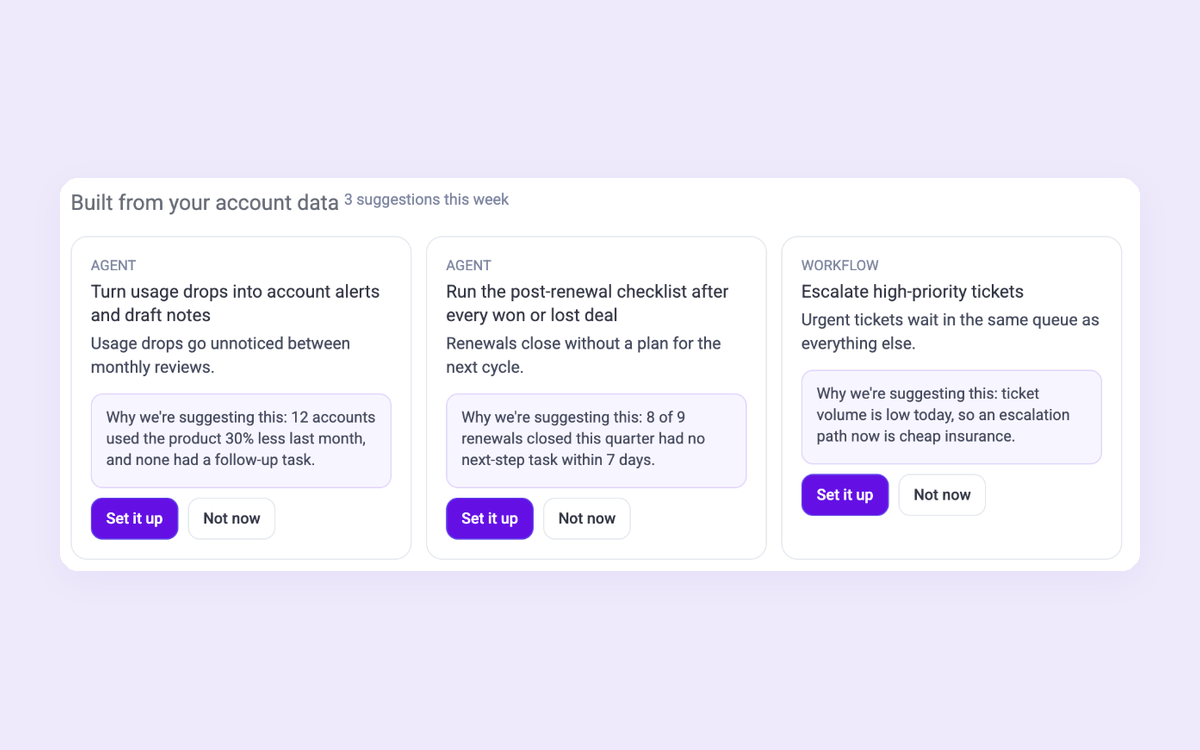
- Build from a sentence, or from your data. One prompt box builds an agent, and HubSpot proposes agents from what your account shows, each with a reason.
At a glance
| HubSpot | Airtable | Notion | |
|---|---|---|---|
| Where the AI lives | The home headline, a Breeze panel on every page, and Agent Hub | A panel docked next to your data, and the first option on Home | Everywhere: the AI home, any page, and Custom Agents |
| How it starts | Suggestions from your own CRM records | A prompt written for your company and team | A pre-built agent from the trial checklist |
| How agents are organized | By outcome: demand, deals, customers, growth | One assistant that builds apps | Custom Agents in the sidebar |
| What it proposes | Agents built from your account data, with a reason | Prompts and templates side by side | A ready-made Morning brief agent |
| Pricing | 5,000 HubSpot credits a month included, then $10 per 1,000 | 500 AI credits per editor a month on Free | Free taste, then a plan, then credits |
1. The launch is about context

HubSpot's Fall 2026 Spotlight opens on one line: "Growth Context knows your business." Agent Hub and Breeze Assistant are listed underneath, but the headline isn't about either of them. It's about what the AI knows.
Why it works:
- It answers the buyer's real question first. "Will this AI understand my business?" comes before "what can it do?"
- Every feature after it inherits the promise. The assistant, the agents and the suggestions all read as proof of the headline.
2. Home writes its own headline
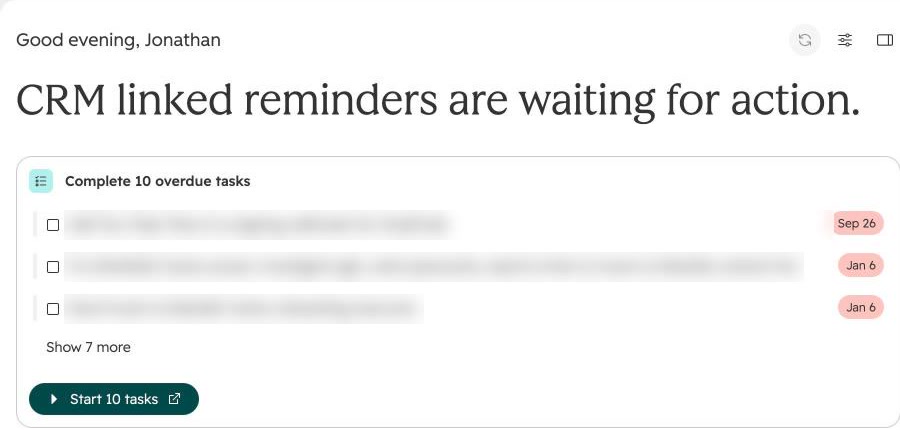
Log in and the home page has a headline written from your tasks: "CRM linked reminders are waiting for action." Under it sits a list of overdue tasks and one button, "Start 10 tasks," that walks you through them.
Come back later and the sentence is different: "CRM-linked reminders are ready to complete." Same data, new words. A panel on the right adds "Your day at a glance," with meetings and tasks due today.
Why it works:
- The page tells you what matters before you look for it. A generated sentence does the triage for you.
- One button turns the summary into work. "Start 10 tasks" is the next step, not a link to another page.
What to watch: the task list shows real customer and contact names. That's right for the user, but blur it in any screenshot you share (we did).
3. The assistant opens with your own work

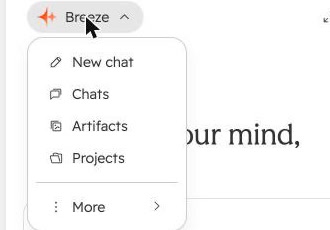
Open Breeze from the top bar and it greets you by name: "What's on your mind, Jonathan?" The suggestions are about our account: "Tackle my 35 overdue tasks," "Work through my assigned tasks," and "Follow up with" a named contact. Under them are four shortcuts (Summarize, Create, How do I, Meetings) and voice input in the box.
The Breeze menu shows it's more than a chat: New chat, Chats, Artifacts and Projects. The assistant keeps work, not just conversations.
Why it works:
- No blank box, and no generic examples. Every suggestion is a job from your own CRM.
- Four verbs cover most asks. People who don't know what to type can pick one.
- Artifacts and Projects make it a workspace. What the assistant makes is saved where you can find it again.
4. Agents arrive with a welcome

Open Agent Hub for the first time and a modal explains it: "Agent Hub brings together everything you need to build, manage, and monitor the AI agents powering your business. Activate a ready-made agent or create something custom, then see how your entire AI team is performing from one place." Next to the copy is a finished agent ("Churn Risk Agent") and a chart, "Customers retained vs goal +34%."
Why it works:
- It shows the end state. You see a working agent and its result before you build anything.
- Two clear choices. "Build agent" or "Dismiss," nothing else.
What to watch: the chart is sample data, not your account. That's fine in a welcome, but say so if your numbers could be mistaken for the user's.
5. Agents are organized by outcome

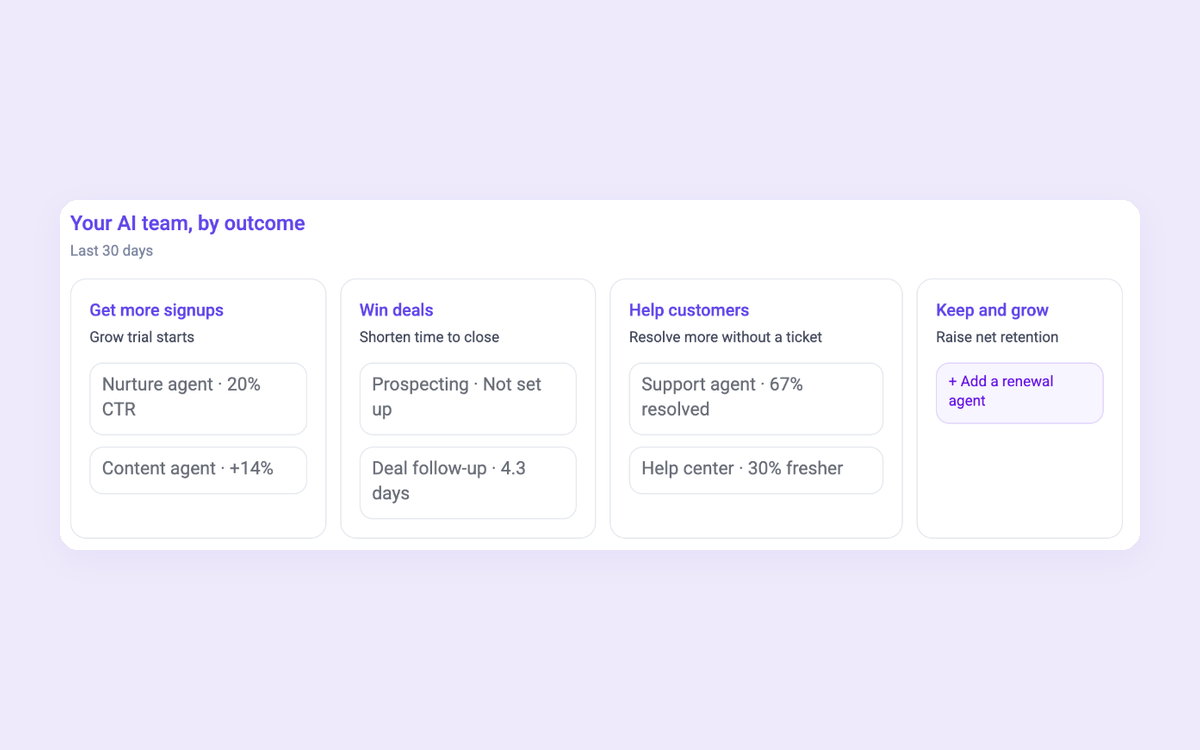
Dismiss the modal and Agent Hub reads "Run your AI team by outcome." Four cards follow: Build demand, Win deals, Delight customers and Scale growth. Each lists its featured agents with one number: "Customer agent 67% resolved," "Data agent 10x faster," "Deal progression 4.3 days."
Why it works:
- It speaks the buyer's language. A head of sales looks for "Win deals," not for an agent's name.
- One number per agent makes the value visible. You can see what each agent does for you at a glance.
What to watch: the label says "Data from the last 30 days," but only the Prospecting agent is switched on in our account (the green dot), and it shows 0%. The other numbers, like "67% resolved" and "10x faster," are for agents we haven't turned on, so they read as HubSpot's examples. If you show metrics next to AI features, be clear whose numbers they are.
6. Build from a sentence, or from your data

Below the outcomes, building your own starts with one box: "Tell Breeze Assistant what to automate, like researching companies, routing deals, or assigning tasks." "Start with a blank workflow" and "Start with a blank agent" sit under it as the fallback, not the default.

Then comes the clever part: "Use an automation built from your account data." HubSpot proposes agents and workflows from what it sees in our account, and each one has a "Why we're suggesting this" link. One read: "Imported usage drops go undetected between manual reviews." Others suggested a post-renewal checklist and escalating high-priority tickets.
Send the sentence and Breeze Assistant drafts the agent's goal, tools and knowledge for you to review. We typed one in for the recording above but didn't send it, because every build spends HubSpot credits.
The credits page has its own onboarding. Open it and a five-step tour walks through it: included credits ("If you reach your limit, usage pauses. You won't be charged extra."), a limit per feature, usage over time, and usage per agent. Close it early and it asks "Sure you want to close this tour?" before it goes.


Why it works:
- A sentence beats a builder. People describe the job, and the AI drafts the agent.
- Suggestions with a reason earn trust. "Why we're suggesting this" turns a guess into evidence from your own data.
- Blank is still there for people who know exactly what they want.
- The cost is explained where you spend it. The credits tour answers "will this charge me?" before anyone asks.
What to take from it
- Launch with what the AI knows, not a list of what it does.
- Let the home page write its own headline, then give one button to act on it.
- Open the assistant with the user's own work.
- Welcome people to agents with a finished example.
- Group AI by the outcome the buyer owns, with one number each.
- Suggest the next agent from their data, and say why.
Build the whole flow
The in-app half, with Candu. Each template is a separate piece you can restyle in your brand.
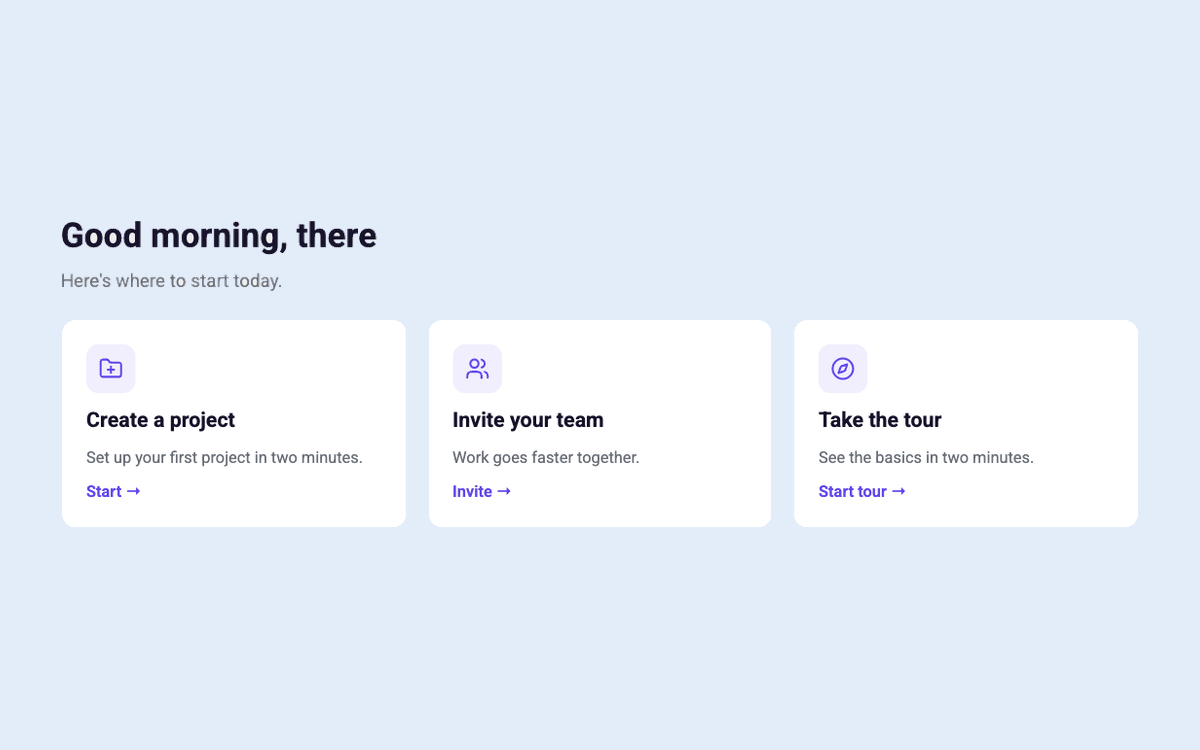
Have your own design for any of these? Build it from Claude, Figma or a screenshot.
More in this series: Shopify, Customer.io, Notion, Airtable, and the hub, How product teams are launching AI inside their apps. See all of Candu's AI features: https://www.candu.ai/capabilities/ai-features
FAQ
What is HubSpot Breeze?
Breeze is HubSpot's AI. Breeze Assistant opens from the top bar on any page and keeps chats, artifacts and projects. In our account it greeted us by name and suggested jobs from our CRM.
What is HubSpot Agent Hub?
Agent Hub is where HubSpot customers activate, configure and monitor AI agents. In our account it opened on "Run your AI team by outcome" (Build demand, Win deals, Delight customers, Scale growth), with a metric for each agent and suggested agents built from our account data.
How much do HubSpot's AI agents cost?
Agents use HubSpot credits. In October 2026 our subscription included 5,000 credits a month, and extra credits cost $10 per 1,000. Which plans can build custom agents depends on the hub, so check HubSpot's product catalog for yours.
How should a SaaS product launch AI agents?
Start from what the AI already knows about the user: summarize their day, open the assistant with their own tasks, and suggest the next agent from their data with a reason. Group agents by the goal the buyer owns, and show one number for each.

Build HubSpot’s AI launch in your product
Book a session and we’ll map the in-app launch and the agent for your product.
Book a sessionPrefer to start on your own? Start free with Candu


