


Key takeaways
- Shopify asks what you want to sell, then builds your home page checklist around the answer. That part we wrote about in 2025, and it still holds.
- New in 2026: Sidekick, Shopify's AI assistant, sits next to the checklist. Ask it to do a setup step and it writes the product, fills in the form and takes you to the page.
- The pattern to copy: questions shape the checklist, each checklist item can hand off to help, and the checklist moves forward when the job is done.
1. You pay a dollar before you see the product
The first screen after sign-up asks for a card. It's $1 a month for three months, after a three-day free trial. There's a "Skip" in the corner, but the card form is the main event.
3 days free, then $1/month for 3 months. Skip in the corner.
Why it works: a dollar is small enough not to feel like a decision, and a card on file turns a trial into a habit. It also filters out tire-kickers before Shopify spends anything on them.
What to watch: it's a lot to ask before someone has seen the product. Shopify can get away with it because people arrive already wanting a store. Most SaaS products can't.
2. One question that shapes everything after it
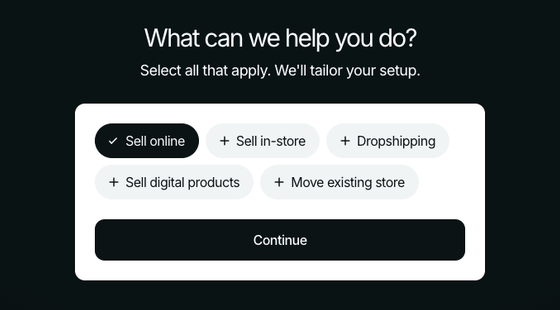
The survey is down to one screen in 2026: "What can we help you do?" The choices are sell online, sell in-store, dropshipping, sell digital products, and move an existing store. You can pick several, and Skip is right there.
The line under the question does the work: "We'll tailor your setup." It tells you why you're answering. In 2025 this was a multi-screen survey. Shopify cut it to the one question that changes the most.
3. The plan picker shows up early, with AI on the list
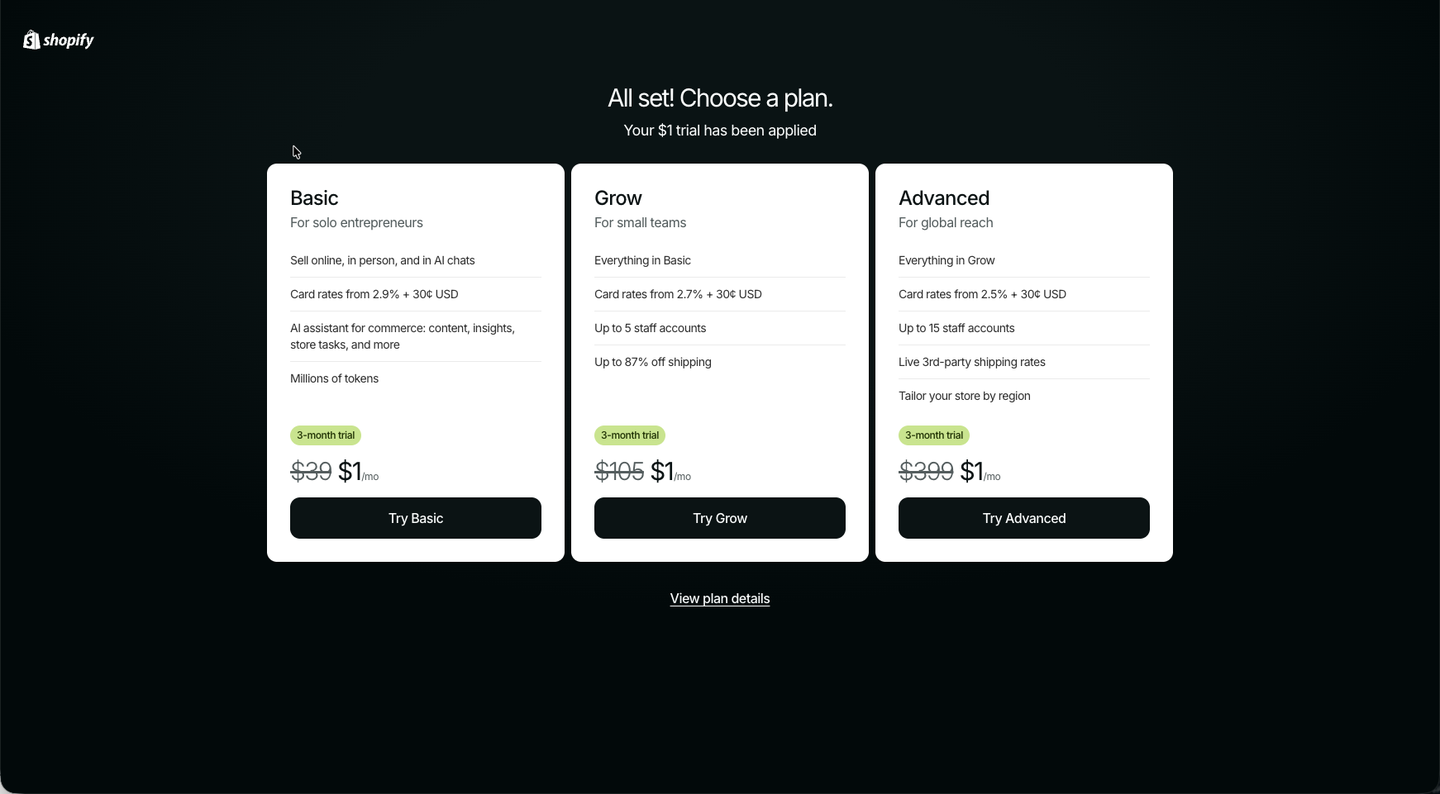
Next is the plan picker. The $1 trial is already applied, so every plan reads as "$1/mo". Look at what Basic now includes: "Sell online, in person, and in AI chats" and "AI assistant for commerce: content, insights, store tasks, and more", with "millions of tokens."
AI is a plan feature now, listed next to card rates and staff accounts. That framing matters for the rest of the flow.
4. An add-on offer, timed to your answer
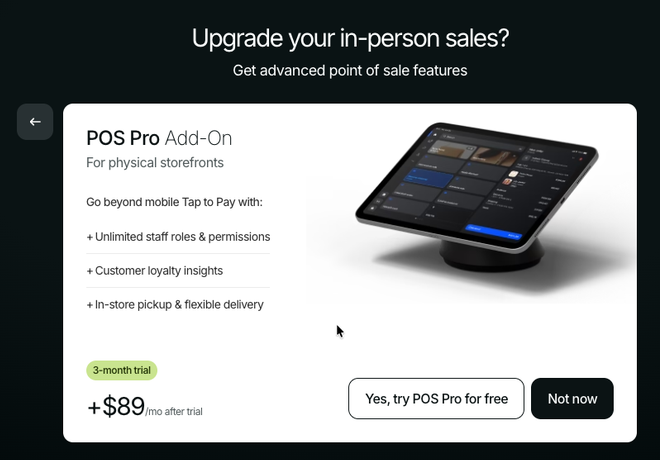
If you said you'd sell in person, Shopify offers POS Pro before you reach the home page: three free months, then $89/mo, with a quiet "Not now."
It's the 2025 lesson again: an onboarding question doubles as a way to sell the thing you just told them you need.
5. The home page builds itself from your answer

"Welcome to Shopify! Where do you want to start?" Right under the question is a Sidekick prompt box, already filled with a suggestion ("Set up my digital delivery"). Under that is a set of visual setup cards, more bento box than checklist, and they change with your answer:
- Physical products (July): Add your first product, Choose theme, Set up payments, Name your store, Get a custom domain.
- Digital products (August): Add your first digital product ("Sell downloadable products with the Digital Products app"), Choose your store design, You're ready to accept payments, Name your store, Get a custom domain.
Each card has one line on why it matters and one button. The domain card carries a cash-back reward, a support number sits in the corner, and Sidekick is already open inline on the page, not hidden behind an icon.
This is still the best part of Shopify's onboarding. The questions earn their place because the home page visibly changes.
6. The new part: a copilot next to the checklist
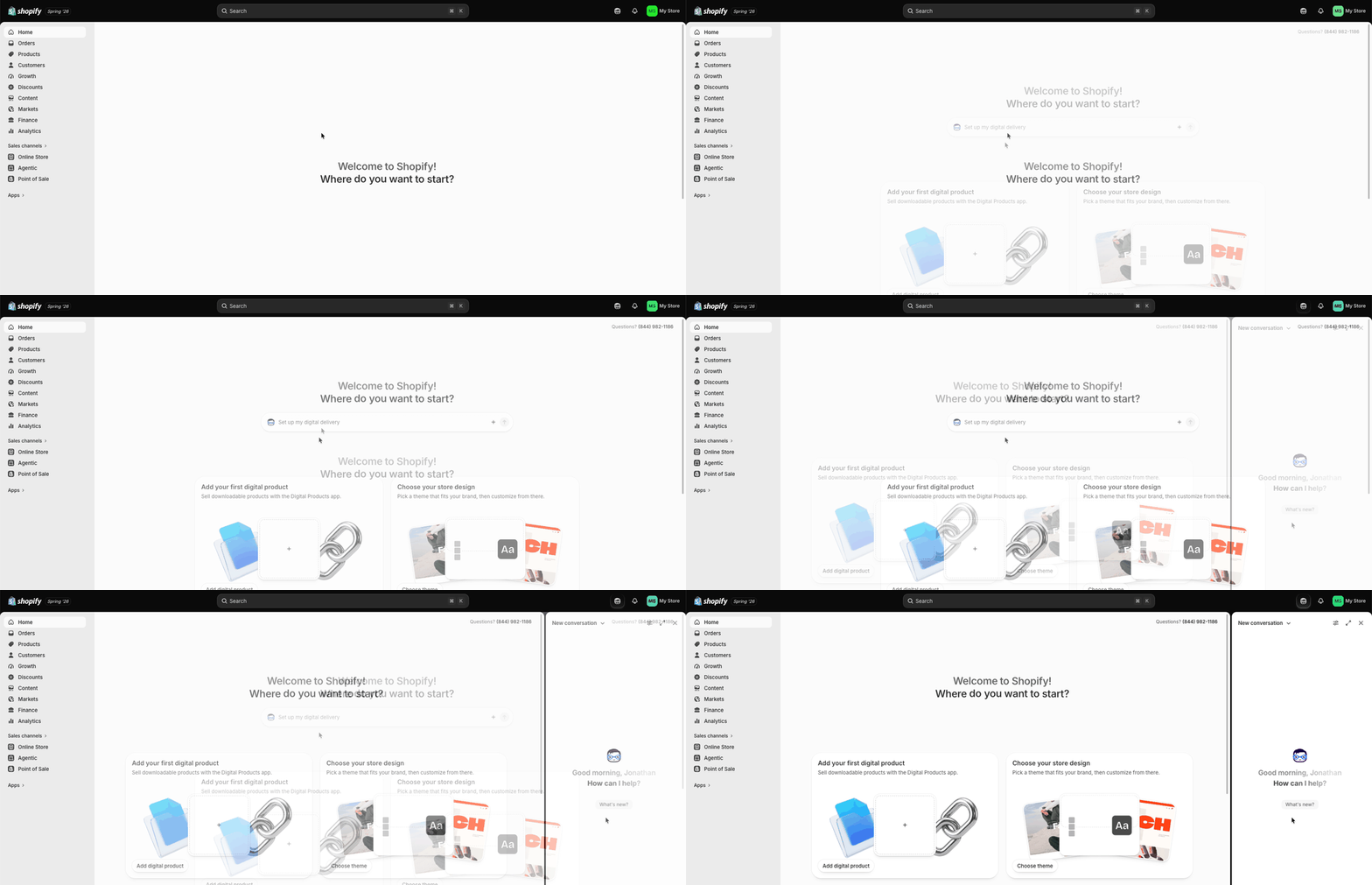
Open Sidekick and it greets you by name ("Good afternoon, Jonathan. How can I help?"). Ask what it can do and it lists store management, analytics, marketing, theme changes and store setup, and it knows you're on a trial ending soon.
Three things stood out:
- It shows you where things are. "Can you show me where to change my account settings?" got one line of explanation and a "Navigate to Users and permissions" button.
- It hands off to people. "Can I talk to a human?" got "Yes! You can reach Shopify Support through the Help Center. Let me take you there."
- It's on every page, with "What's new?" as a starter prompt.
7. The checklist hands the job to the copilot
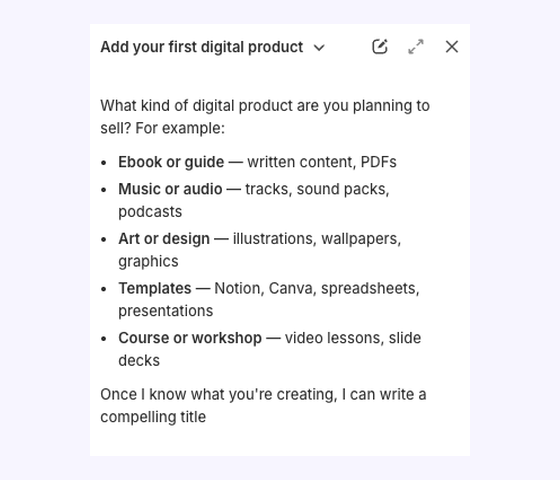
This is the moment worth copying. I picked "Add your first digital product," then opened Sidekick on that page. It already knew which step I was on: the conversation was titled "Add your first digital product," and it asked what I wanted to sell (an ebook, music, art, templates, a course).
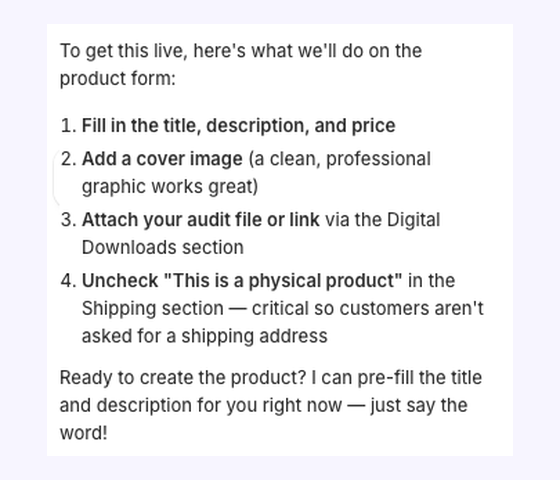
I said "let's sell an audit for agent readiness." Sidekick came back with:
- a title and description
- a price range ($97-$197)
- three file formats
- the four steps left on the product form, including the one people miss: uncheck "This is a physical product"
Then: "Ready to create the product? I can pre-fill the title and description for you right now, just say the word!"
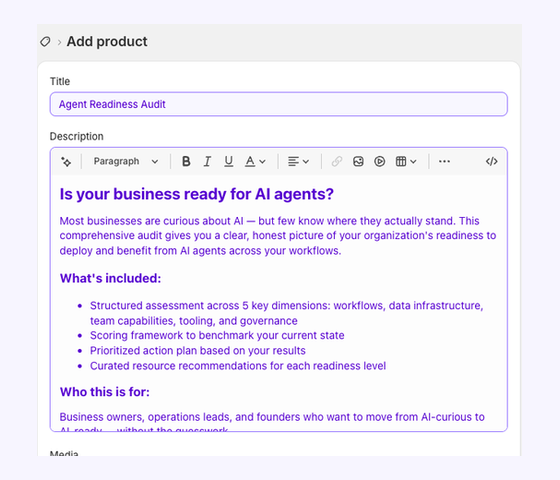
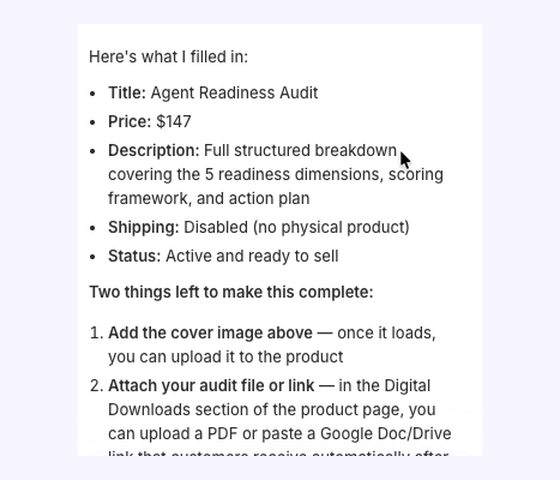
I said "go ahead." It said "Taking you there...", opened the product form already filled in (title, description, $147, tags, SEO title, product type) and created the product. Then it started generating a cover image and listed the two things left: add the image, attach the file.
Why it works:
- The checklist stays in charge of what to do next. The copilot only helps with the step you're on.
- It asks before it acts. It proposed everything, then waited for "go ahead."
- It finishes by telling you what's left, so you're never unsure if you're done.
8. Back to the checklist, one step further on
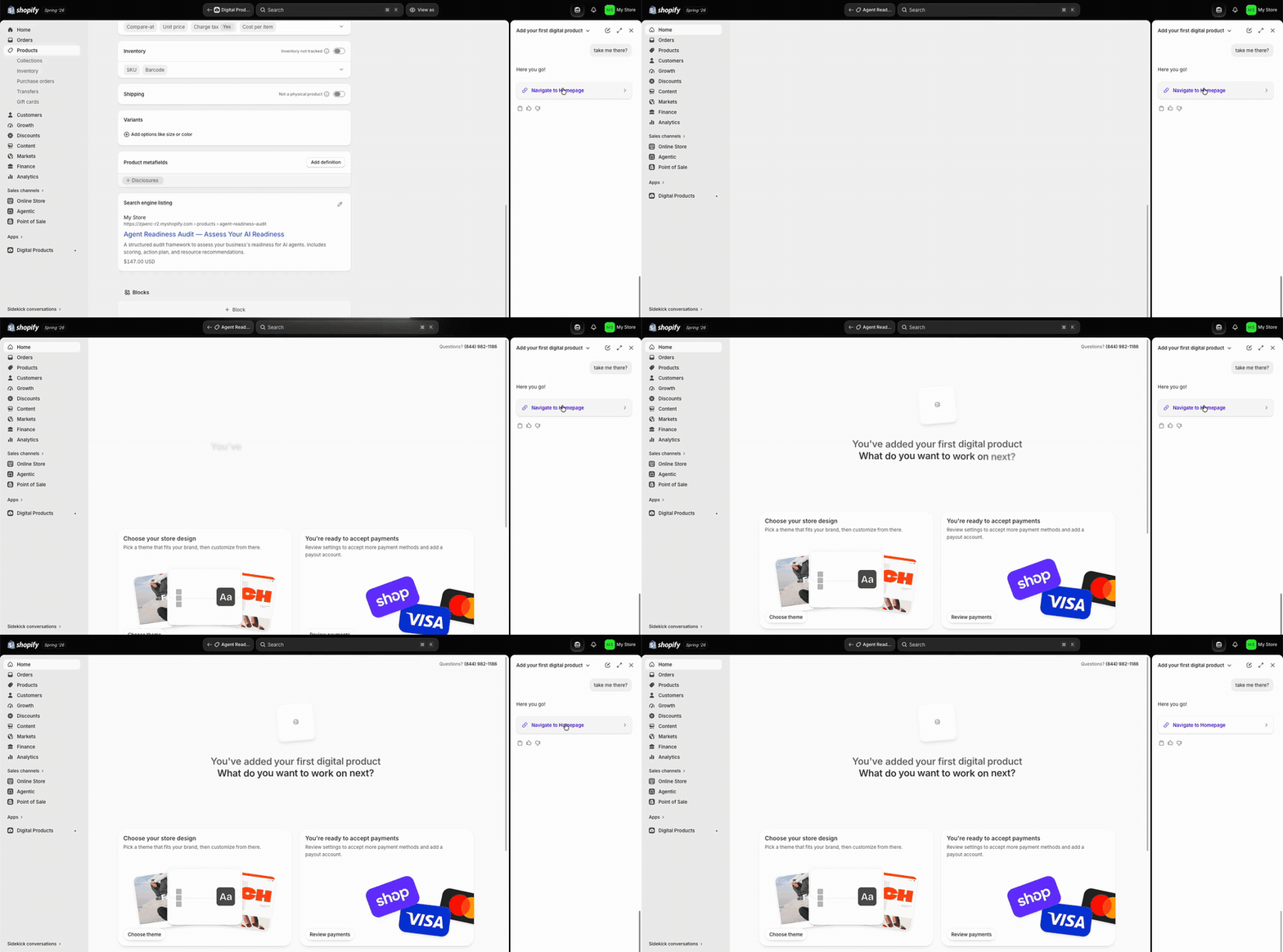
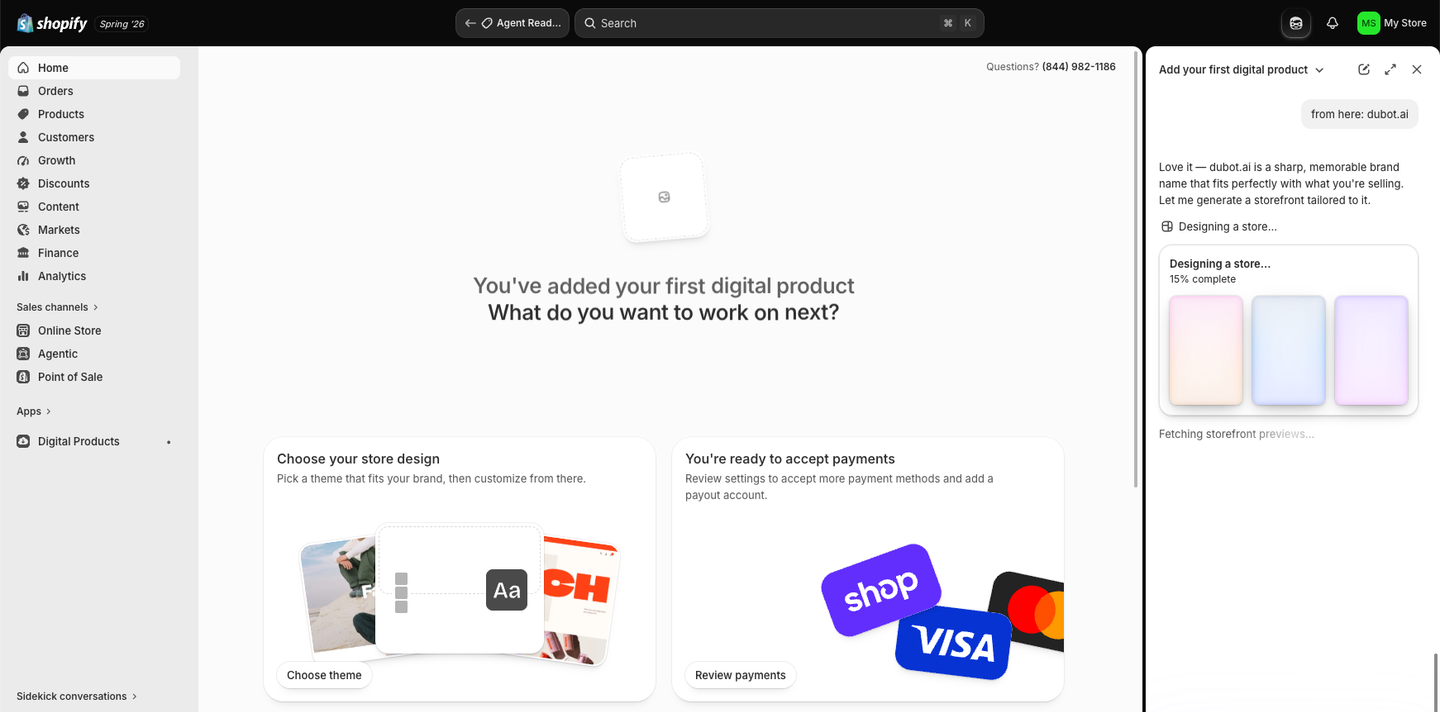
Back on the home page, it has moved on: "You've added your first digital product. What do you want to work on next?" The product card is gone, the next steps move up, and a new one appears: "Review digital delivery options."
I typed our brand, dubot.ai, into Sidekick and it started "Designing a store... 15% complete", building a storefront around the name.
The loop closes: the checklist says what's next, the copilot helps do it, and the checklist moves forward.
What to copy
- Ask one question, then prove you listened. The checklist has to change visibly, or the question was a waste of the user's time.
- Keep the checklist in charge. AI help is most useful inside a step, not as a separate chat people have to think to open.
- Ask before acting, then say what's left. Shopify's "just say the word" and "two things left" are the whole trust model in two lines.
- Sell inside the flow, gently. The plan, the add-on and the trial banner are all there, each with an easy "Not now."
Build the whole flow
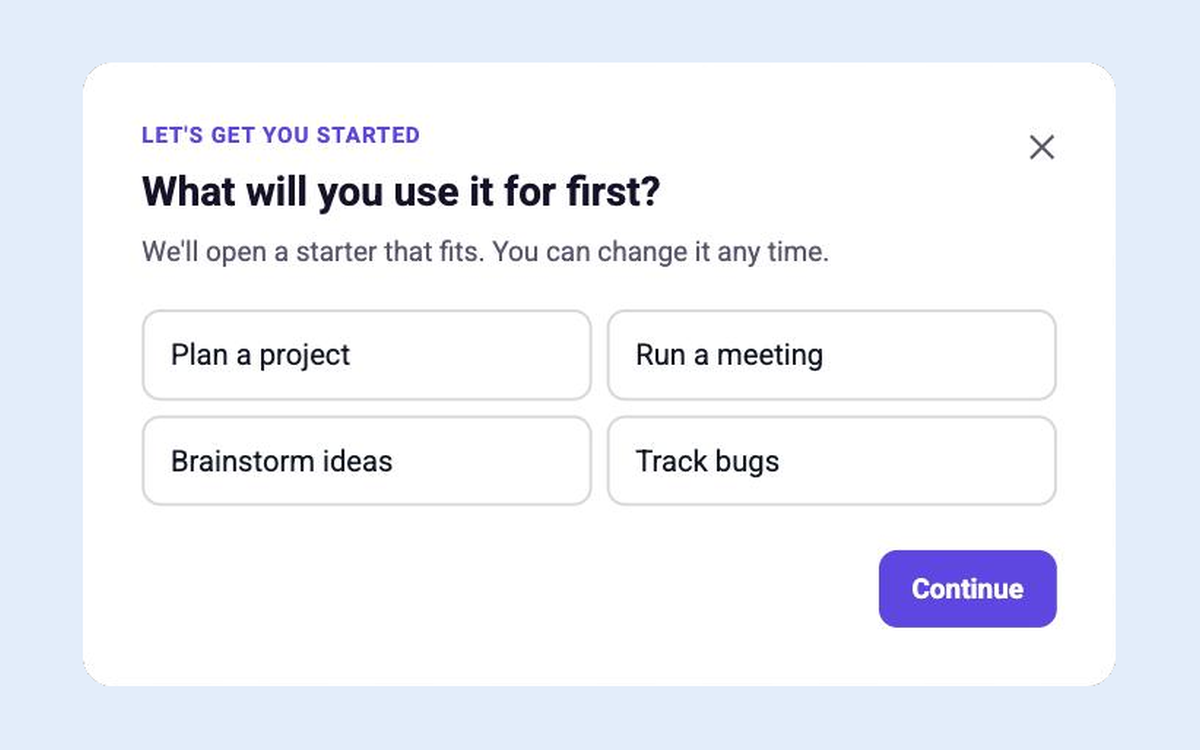
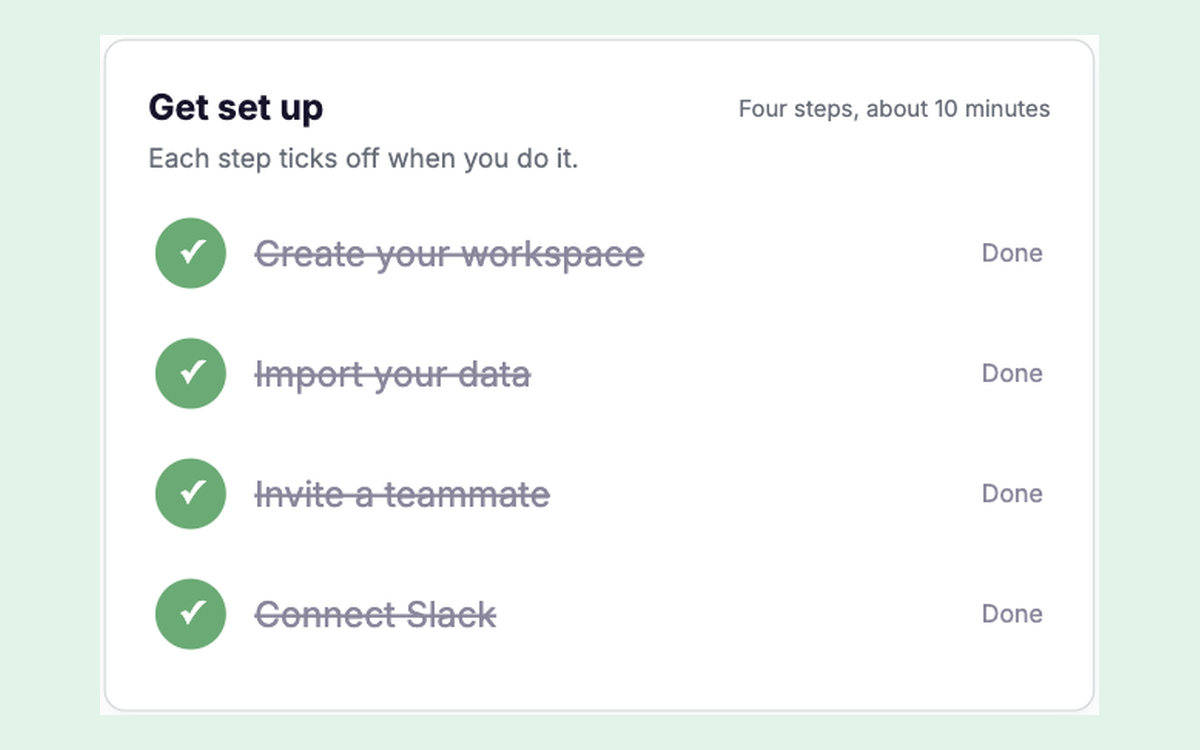
Four Candu templates for the checklist half. Restyle each one in your brand.
Have your own design for any of these? Build it from Claude, Figma or a screenshot.
FAQ
How does Shopify’s onboarding work in 2026?
A short paywall ($1/month for three months, skippable), one question about what you want to sell, a plan picker, then a home page checklist that changes with your answer, with Sidekick, Shopify’s AI assistant, on hand to do the steps with you.
What is Shopify Sidekick?
Shopify’s built-in AI assistant. In onboarding it answers questions, takes you to the right settings page, hands you to support when you ask, and can create a product for you after you confirm.
Can I build a Shopify-style onboarding checklist in my product?
Yes. Start from the setup checklist and use-case picker templates, change the steps to the actions that matter in your product, and show it to new accounts.

Build Shopify’s flow in your product
Book a session and we’ll map the checklist and the copilot for your product.
Book a sessionPrefer to start on your own? Start free with Candu


