

Go back to Template Gallery
Categories
User Onboarding
Product Adoption
How to set it up
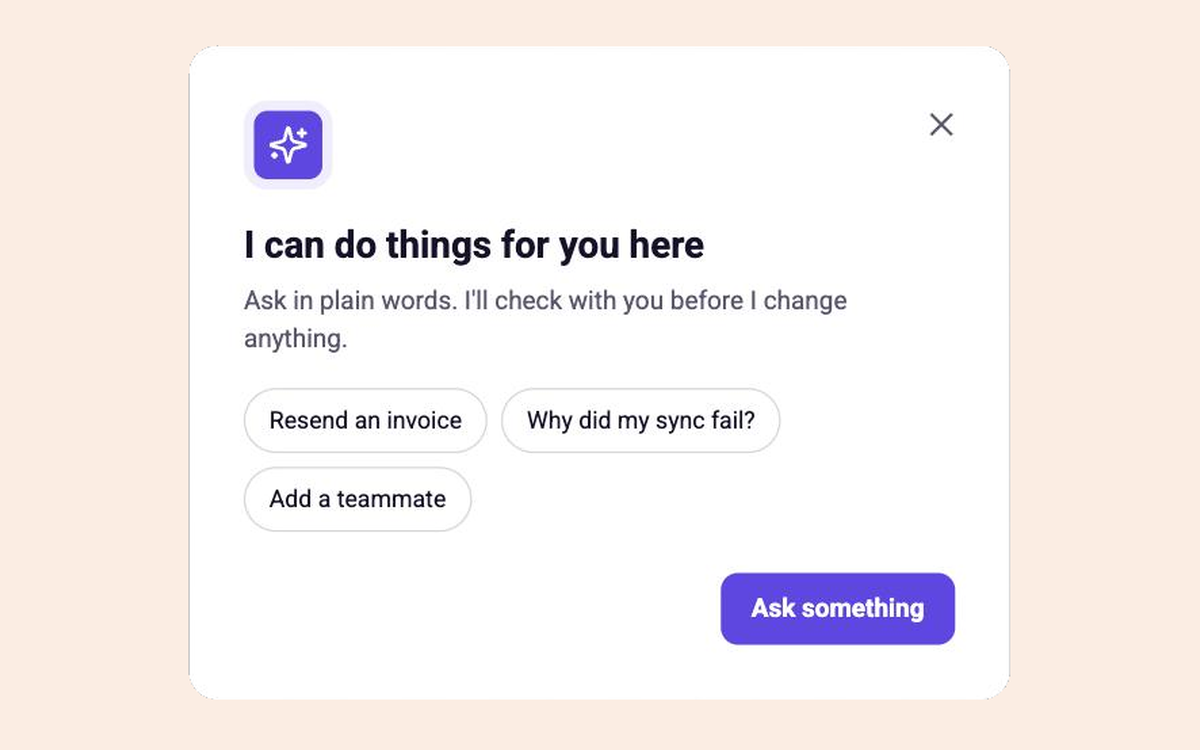
- Trigger the modal the first time a user opens the assistant.
- Point each button at your own assistant, and list two or three things it can do.
- Show it to everyone, and track the first question sent and questions per user.
Collaborator on this template


Collaborator on this template
Key Features

When to use it
First time the assistant opens
Who it is for
Everyone
What to measure
First ask sent; asks per user
Other templates you might like

Assign to an Agent
List AI agents next to people wherever work is handed off

Personalize Your Assistant
Let users name and style the in-app assistant and tell it how they work

Trial Timeline Modal
Show what happens on each day of the trial before it starts
READY WHEN YOU ARE
Your next launch, without the ticket.
Within 48 hours of agreeing access and the first journey, we'll map your product or build something small in it.
No credit card required
