FOR DESIGNERS

Design it in Claude Design. Build it in Candu.

The Candu Kit gives your designer the building blocks Candu understands: banners, modals, tours, checklists and empty states, on your own brand. Copy what they design into Candu and the assistant turns it into a draft you can review and publish.

A 44 KB zip: the kit, a start-here guide and a worked example.
HOW IT WORKS

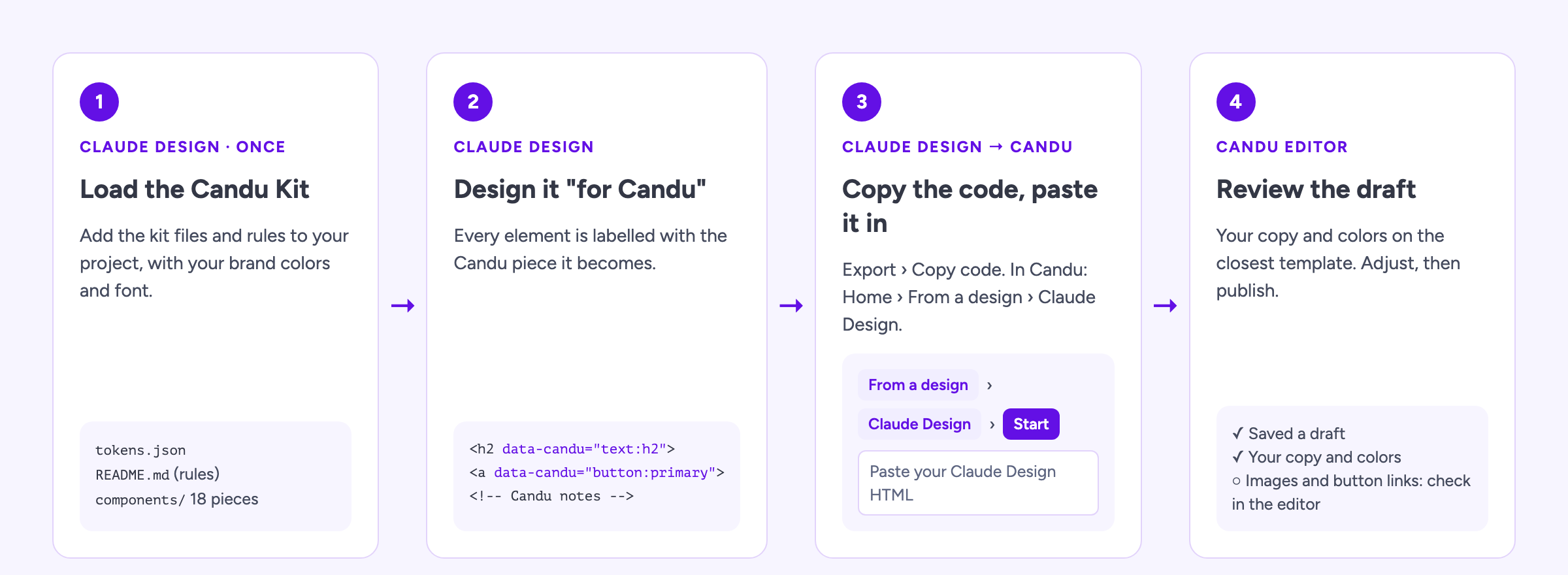
Four steps from design to draft

Four steps: add the kit to Claude Design, design a piece for Candu, copy the code, paste it into Candu
1

Add the kit

Unzip it and add the kit folder to your Claude Design project.

2

Design for Candu

Ask for a banner, modal or tour for Candu. The kit keeps it to pieces Candu can build.

3

Copy the code

Copy the design's code from Claude Design.

4

Paste it into Candu

On Home, choose From a design, then Claude Design, and paste. The assistant builds a draft.

WHAT THE KIT ADDS

Every piece arrives labelled

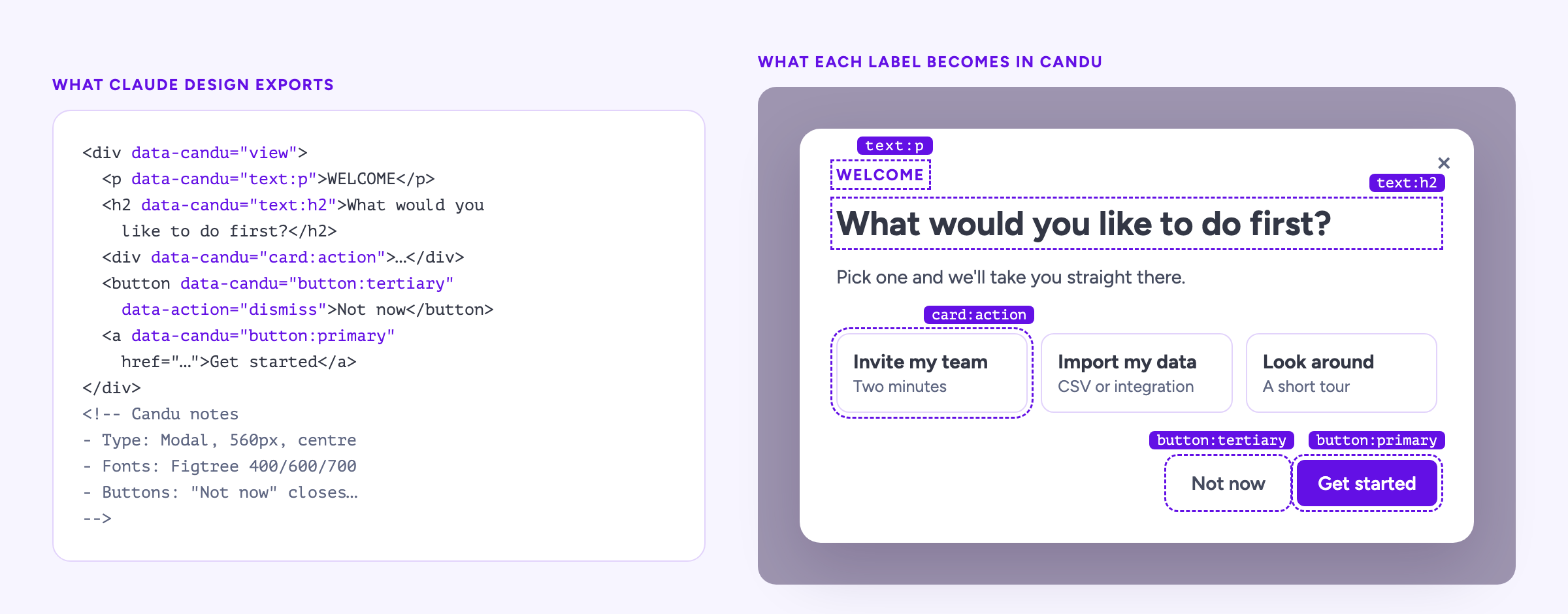
Each element in the design is tagged with the Candu building block it becomes, and the file ends with Candu notes: sizes, colors and what each button does. That is what lets the assistant rebuild it without guessing.
  • Tokens named after the fields in your Candu styleguide
  • Components for banners, modals, tours, hotspots, checklists and forms
  • Rules that keep designs to what Candu can build
  • A worked example modal to start from
A modal design next to the same design labelled with the Candu building blocks it becomes
WHAT CARRIES OVER TODAY

What you get, and what you finish in the editor

Carries over

  • Your copy, word for word
  • Your colors
  • The structure of the piece

You finish in the editor

  • Layout follows the closest Candu template
  • Images are added in the editor
  • Button actions are checked before you publish

Hand your designer the kit

Free to download. Works with any Candu workspace.

Download the kit

Turn your ideas into UX today

Get a custom walkthrough of Candu

Start free trial